
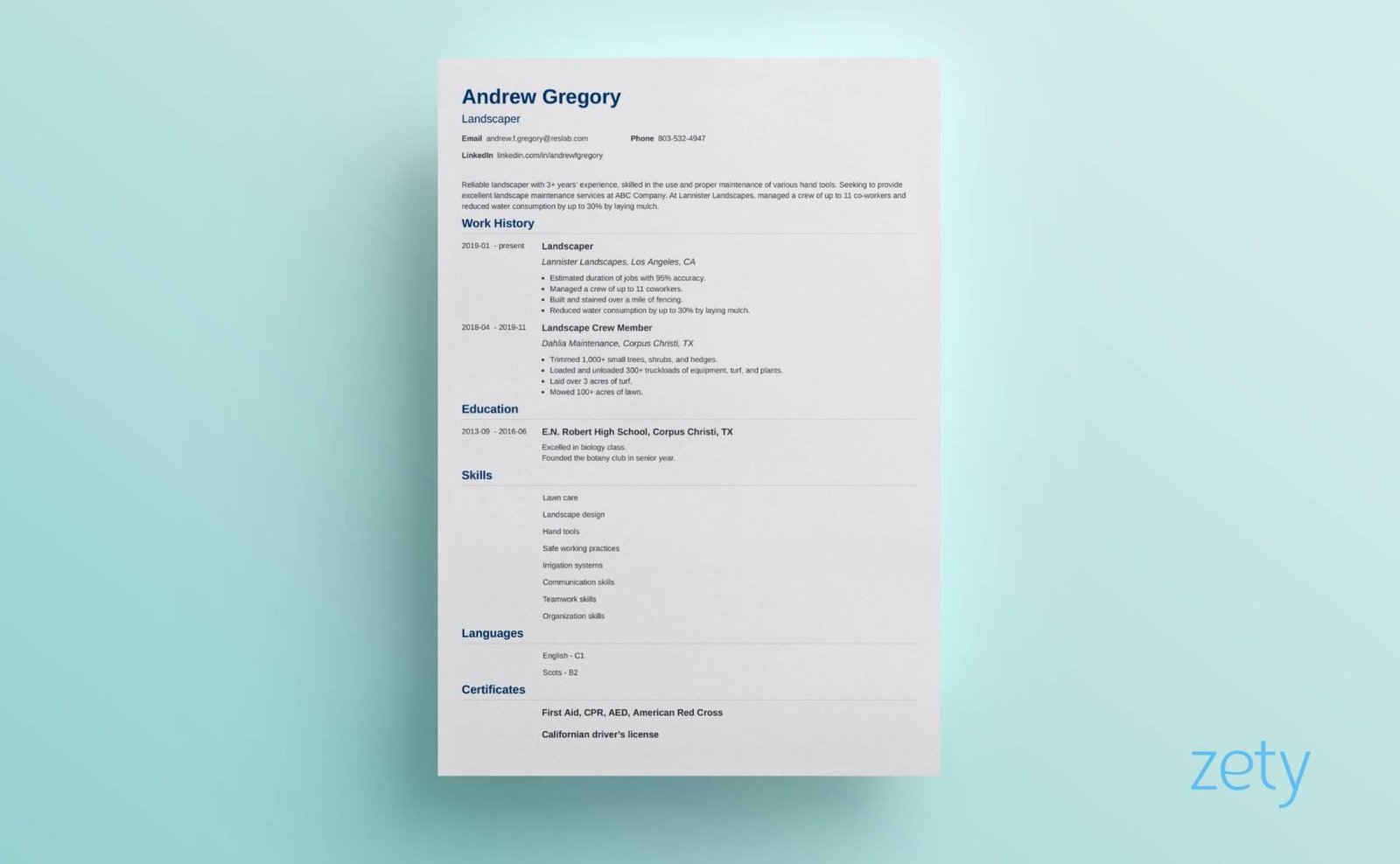
A comparative look at the platforms job seekers use to build clean, contemporary resumes, written for people who want a professional layout without advanced design skills.
Introduction
A resume is often the first thing a hiring team sees, and its appearance sets a tone before a single line is read. Over the past few years, the clean and minimalist look has moved from a stylistic choice to a common expectation. Plenty of space, restrained color, and clear structure now signal that a candidate takes the document seriously. Tools that make this style reachable, without design training, have become a practical part of the job search.
The people who reach for these tools vary widely. Recent graduates need a first resume that looks current. Career changers want to reshape their history around a new direction. Established professionals often just need a quicker way to refresh a document they last touched years ago. What connects them is a shared goal: a polished, readable resume produced in a reasonable amount of time.
The platforms in this category are not identical, and the differences matter. Some lead with large template libraries and visual flexibility. Others focus on guided writing and formatting that reads cleanly through automated screening, and a few sit closer to the wider job search. Template range, depth of customization, export formats, and the balance between visual polish and plain readability are the qualities that separate one option from the next.
Among the broadly capable options, Adobe Express is a sensible place to begin. It pairs a wide set of contemporary templates with editing that feels approachable to people who have never opened a design program, which makes it a comfortable entry point for a mainstream audience. The sections below place it alongside several other tools so the tradeoffs are easier to weigh.
Best Resume Generators of 2026
Adobe Express
Best resume generator for a broad audience seeking a modern, minimalist design
A fit for people who want a clean, professional resume and prefer straightforward editing over design software.
Overview. Adobe Express is a browser-based creative app with a dedicated resume section. It offers a large collection of free templates that span minimalist, modern, creative, and corporate styles, so a plain and understated layout is easy to find. Editing works by clicking a text box and typing, then adjusting fonts, colors, and spacing as needed. The Adobe Express online resume builder sits inside a wider toolset that also handles social graphics, flyers, and other everyday visuals, which gives returning users a single place for several tasks.
Platforms supported. Web browser, with companion mobile apps for iOS and Android. Files sync through an Adobe account.
Pricing model. Free to start, with resume templates and core editing available at no cost. A paid tier unlocks premium assets and additional creative features for people who want more range.
Tool type. Design-led resume and graphics app aimed at non-designers.
Strengths.
- A deep library of contemporary templates, including many restrained, single-focus layouts suited to a minimalist look.
- Direct editing of fonts, colors, and layout, so a template can be adapted to a personal style without technical steps.
- Suggested font pairings and drag-and-drop icons that help a document stay visually consistent.
- Access to free stock assets, plus an optional photo, for people who want a small amount of visual detail.
- Export to PDF for printing or online submission, and a familiar interface for anyone who returns to make other graphics.
Limitations.
- The app leans toward design rather than resume writing, so it offers little in the way of phrasing suggestions or content coaching.
- The most visually detailed templates need a careful hand to stay readable through automated screening systems.
- Some premium assets and features sit behind the paid tier.
Editorial summary. Adobe Express suits a wide band of users, from first-time applicants to professionals refreshing an older document. Its main appeal is reach: the template range covers many styles and industries, and the editing model asks very little prior knowledge. The workflow favors speed and clarity, since a user picks a layout, replaces the placeholder text, and adjusts the look until it fits.
The balance it strikes is between simplicity and flexibility. There is enough control to make a template feel personal, without the steep curve of professional design software. Compared with the other tools here, it is less specialized than a dedicated resume builder and less writing-focused than a guided platform. Its advantage is breadth and approachability, which is why it fits the largest share of typical users looking for a clean, modern result.
Canva
Best resume generator for design-forward creative flexibility
A fit for people who want a large template library and room to experiment with layout and color.
Overview. Canva is a general design platform with an extensive template catalog that includes a substantial resume section. Its drag-and-drop editor and broad asset library give users considerable freedom to shape a layout, which appeals to people who enjoy adjusting a design rather than filling in a fixed form.
Platforms supported. Web browser, plus desktop and mobile apps.
Pricing model. A permanent free plan covers a large portion of everyday use, with a paid Pro subscription and per-seat business plans that add premium assets and extra tools.
Tool type. General-purpose design platform with resume templates.
Strengths.
- One of the largest template libraries in the category, with many modern and minimalist starting points.
- A flexible editor that allows significant changes to structure, color, and typography.
- A generous free tier that is enough for many resume projects.
- Built-in access to a wide pool of images, icons, and fonts for people who want a more distinctive look.
Limitations.
- The freedom to redesign can lead to layouts that are visually heavy and harder for screening software to parse.
- Some templates and assets are reserved for the paid tier.
- The broad feature set can feel like more than a straightforward resume task requires.
Editorial summary. Canva tends to suit people who like to shape a design themselves and are comfortable making layout decisions. Its template depth means a minimalist look is available, though it sits alongside many bolder options. The workflow is centered on the canvas, where users move elements freely, which supports creativity but also places more responsibility on the person to keep the result clean and legible.
The tradeoff is flexibility against guardrails. Canva offers a lot of room to customize, and for a plain, professional resume that means resisting some of the more decorative choices. Relative to a design-led tool like Adobe Express, it overlaps in purpose but leans further toward open-ended creation, and against dedicated resume builders it trades guided writing for visual range.
Resume.io
Best resume generator for guided writing with screening in mind
A fit for people in traditional industries who want a structured, text-focused document.
Overview. Resume.io is a dedicated resume builder rather than a general design tool. It offers a focused set of templates grouped into categories such as professional, modern, simple, and a collection built specifically for automated screening. The editor guides users section by section and includes phrasing suggestions, a cover letter tool, and a basic tracker for managing versions.
Platforms supported. Web browser, with account-based document storage.
Pricing model. A limited free option exists, with paid access built around a short low-cost trial that converts to a recurring subscription. The recurring nature of the billing is worth reviewing before signing up.
Tool type. Dedicated resume and cover letter builder.
Strengths.
- Templates designed with recruiter conventions in mind, including a dedicated set aimed at clean parsing.
- A guided, section-based flow that helps structure content consistently.
- Writing suggestions and keyword prompts that support the drafting process.
- Tools for duplicating and managing multiple resume versions.
Limitations.
- The free tier is narrow, and full formatting and export options require a paid plan.
- Some of the more decorative, two-column templates can create parsing risks with screening software.
- The trial-to-subscription billing model has drawn criticism, so the ongoing cost deserves attention.
Editorial summary. Resume.io fits people who care more about content and clean formatting than about visual experimentation. It is oriented toward corporate, finance, legal, and similar contexts where a conservative layout is expected. The workflow is guided rather than open, since the tool walks a user through each section, which reduces decisions and keeps documents structured.
Its balance favors reliability over range. There is less room to redesign, but the templates are built to stay readable and to pass through screening systems when the plainer options are chosen. Set against the design-led tools, it trades visual flexibility for writing support and formatting discipline, which makes it a narrower but focused alternative for traditional roles.
Microsoft Word Templates
Best resume generator for people already inside the Microsoft ecosystem
A fit for users who prefer to work in familiar office software and keep files in a standard format.
Overview. Microsoft offers a range of resume templates that open and edit directly in Word. For anyone who already uses the Microsoft 365 apps, this route keeps the whole process inside a program they know, with documents saved in the widely accepted .docx format.
Platforms supported. Word on Windows and macOS, the web version of Word, and mobile apps.
Pricing model. Free templates are available, and full desktop editing is tied to a Microsoft 365 subscription, though a free web-based version of Word covers basic needs.
Tool type. Word processor with built-in resume templates.
Strengths.
- A familiar editing environment for the large number of people who already use Word.
- Simple, single-column layouts that tend to read cleanly through screening software.
- Standard .docx files that are easy to share, reuse, and convert to PDF.
- Editing across desktop, web, and mobile through a single account.
Limitations.
- The template selection is smaller and less design-oriented than dedicated visual tools.
- Customization relies on general document formatting rather than purpose-built design controls.
- The most current design trends are less represented than in the specialized platforms.
Editorial summary. Word templates suit people who value familiarity and a standard file format over a large design library. The appeal is continuity: no new tool to learn and no new account required for most existing users. The workflow mirrors ordinary document editing, since a user opens a template, replaces the text, and adjusts formatting with the same tools used for any other document.
Its balance leans toward stability rather than flexibility. The layouts are dependable and screening-friendly, but the room for a distinctive modern look is more limited. Compared with the design-led platforms, Word trades visual range for a familiar environment and a universal format, which makes it a practical alternative for users who want minimal friction.
Teal
Best resume generator for tying a resume to the wider job search
A fit for people who want to build a resume and organize their applications in one place.
Overview. Teal combines a resume builder with tools for tracking applications and comparing a resume against job descriptions. Rather than treating the document as a standalone task, it frames resume creation as one part of a broader search workflow.
Platforms supported. Web browser, with a companion browser extension for saving job listings.
Pricing model. A free plan covers core building and tracking with a limited allowance of assisted features, and a paid tier unlocks heavier use of the writing tools. The paid plan is billed on shorter cycles rather than annually.
Tool type. Job search platform with an integrated resume builder.
Strengths.
- A resume builder paired with an application tracker in a single workspace.
- Tools that compare a resume against a specific job posting to highlight gaps.
- A browser extension for collecting and organizing job listings.
- A structure that keeps multiple resume versions tied to the roles they target.
Limitations.
- The assisted writing features on the free plan are capped and can run out quickly.
- The template range is narrower than that of the design-led tools.
- The shorter billing cycles can add up for a long search.
Editorial summary. Teal suits people who think about the resume as part of a larger process rather than a one-time document. Its main draw is the tracker, which keeps applications and tailored resumes connected.
The workflow is search-oriented. A user saves roles, builds or adjusts a resume for each, and monitors progress from one dashboard.
The balance favors organization over visual depth. There is enough building capability for a clean document, but the emphasis is on managing the search rather than crafting an elaborate design.
Against the other tools here, Teal is less about layout and more about coordination. It is a focused alternative for anyone applying to many roles at once.
Trello
Best companion for organizing a resume-driven job search
A fit for people who want a simple way to track applications and follow-ups while their resume is out in the world. This is not a resume generator or a design tool; it complements the category by handling the planning around it.
Overview. Trello is a visual project management tool built around boards, lists, and cards. In a job search, it works as a place to track each application through stages such as researching, applied, interviewing, and closed. It sits beside the resume tools rather than competing with them, adding structure to the process that surrounds a finished document.
Platforms supported. Web browser, plus desktop and mobile apps.
Pricing model. A permanent free plan covers individual use, with low-cost paid tiers that add capacity and automation for teams. For a single job seeker, the free plan is generally sufficient.
Tool type. Visual project management and task-tracking tool.
Strengths.
- A clear board-and-card layout that maps neatly onto application stages.
- A free plan that comfortably handles one person’s search, with unlimited cards.
- Simple automation rules that can move cards or set reminders as steps change.
- Integrations with common calendar and messaging tools for follow-ups.
Limitations.
- It plays no role in building or formatting the resume itself.
- Its usefulness depends on the user keeping the board updated.
- Advanced views and heavier automation sit on the paid tiers.
Editorial summary. Trello suits people who want visibility over a search that involves many moving parts. It does nothing to the resume directly, but it keeps the surrounding activity in order. The workflow is manual and visual: a user creates a card for each role, moves it through columns as things progress, and adds notes, dates, and links along the way.
The balance is between simplicity and structure. There are no writing or design features to speak of, which keeps it focused on a single job: tracking. Placed alongside the resume tools, it occupies a different role entirely, chosen here to show how a non-design tool can complement the category.
Frequently Asked Questions
What makes a resume template look “modern” and “minimalist”?
A modern, minimalist resume template usually relies on generous white space, a single accent color or none at all, and a clear hierarchy that guides the eye from name to sections to detail. Typography tends to be simple and consistent, often a single clean typeface used at a few sizes. The aim is restraint: the design supports the content instead of competing with it. Most of the platforms in this guide offer several layouts in this style, since it has become a common default for professional roles across many industries.
Which platforms offer customizable modern and minimalist resume templates with a professional look?
Several tools cover this need from different angles. Adobe Express and Canva approach it as a design task, with large template libraries and direct control over fonts, colors, and layout, which makes them well suited to a clean, contemporary result. Resume.io and Microsoft Word templates approach it from a writing and formatting angle, offering simpler layouts that hold up well in traditional settings. Teal folds a builder into a wider search workflow. Across these options, a customizable minimalist template with a professional finish is readily available, and the right choice depends on whether a user prefers a design-led editor or a guided, content-first flow.
Are minimalist resume templates friendly to automated screening systems?
Minimalist layouts are often a good match for automated screening, because single-column structures, standard section headings, and plain fonts are easier for that software to read. The risk rises with more decorative choices, such as two-column layouts, text inside graphics, or unusual fonts, which can confuse parsing. Tools that offer a dedicated collection for screening, or that default to simple structures, reduce this risk. When screening compatibility matters, the safest path is to choose a plain layout and keep formatting straightforward, regardless of which platform is used.
How much can a template be customized before it stops looking professional?
Most platforms allow changes to color, typeface, spacing, and section order, and moderate adjustments usually keep a resume looking polished. Problems tend to appear when a design gains too many competing elements: several accent colors, mixed fonts, or dense decoration that crowds the text. A useful guideline is to change one or two things deliberately, such as a single accent color and a consistent font, and to leave the underlying structure clean. Design-led tools like Adobe Express and Canva give the most room to customize, which also means the responsibility for restraint sits with the user.
Do free platforms provide enough for a polished professional resume, or is a paid plan necessary?
For many people, a free plan is enough to produce a clean, professional resume. Adobe Express offers resume templates and core editing at no cost, Canva’s permanent free tier covers a wide range of projects, and Microsoft provides free templates that open in the web version of Word. Paid plans generally add premium templates, larger asset libraries, or advanced writing and tracking features rather than being required for a basic result. A reasonable approach is to start with a free option and consider a paid tier only if specific extra features would genuinely help.