
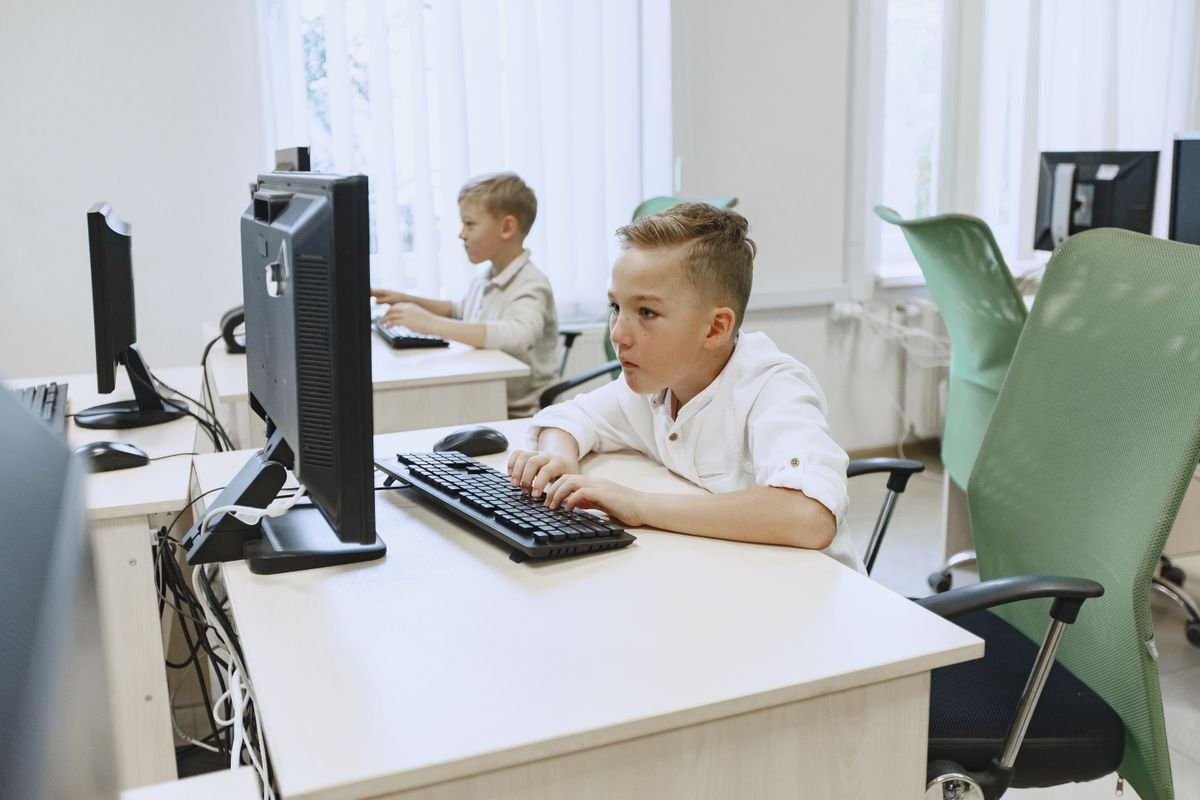
Walk into a classroom today and you will see something very different from thirty years ago. Alongside books and whiteboards there are laptops, tablets, interactive screens, and students joining lessons from home. Technology has become part of how children learn, how teachers teach, and how schools organise their work.
Educational technology — often shortened to edtech — means any digital tool used to support teaching and learning. It includes learning platforms, educational apps, video lessons, online quizzes, digital textbooks, and the software schools use to track progress. Used well, it can make learning more personal, more flexible, and more engaging. Used badly, it can distract and overwhelm.
This guide explains what educational technology is, how it is used in schools and at home, what works, and what to watch out for in 2026.
What Is Educational Technology?
Educational technology is the use of digital tools and systems to improve learning. It is not one product but a whole range of tools that serve different purposes.
A learning management system, for example, is the online home of a course: lessons, assignments, grades, and messages all live in one place. A teacher can set homework, a student can submit it, and a parent can check progress without a paper note going missing.
Other tools focus on the lesson itself. Interactive whiteboards let a teacher show videos, diagrams, and simulations. Educational apps give students short, focused practice in reading, maths, or languages. Video lessons let a student learn at home or catch up on a class they missed.
Behind the scenes, schools use technology for administration too — attendance, timetables, report cards, and communication with parents. When these systems work well, teachers spend less time on paperwork and more time teaching.
How Technology Is Used in Classrooms Today
In a typical modern classroom, technology appears in several ways at once.
Blended Learning
Blended learning mixes face-to-face teaching with online work. A teacher might explain a topic in class, then set an online quiz or video for homework. The next day, the class discusses the results. This approach lets students learn at their own pace outside class while keeping the human contact that makes teaching work.
Personalised Learning
One of the strongest promises of edtech is personalisation. An adaptive learning app can give a student harder questions when they are doing well and easier ones when they struggle. A child who is behind in maths can get extra practice without holding the class back, and a child who is ahead can move on without waiting. For subject-specific practice, see our guide to online learning platforms for math.
Online and Remote Classes
The shift to online learning showed that good teaching does not always need a shared room. Live video classes, recorded lessons, and online courses now reach students in remote areas, adult learners, and children who cannot attend school in person. Our roundup of the best online learning sites covers the main platforms.
The Benefits of Educational Technology
When it is chosen carefully, technology brings real advantages.
Access is the first. A student in a small town can take a course from a teacher hundreds of miles away, and a learner with a disability can use screen readers, subtitles, or adjustable text sizes that a printed book cannot offer.
Engagement is the second. Simulations, videos, and interactive exercises can make abstract ideas concrete — a science simulation can show how a volcano erupts or how the heart pumps blood in a way a textbook picture cannot.
Flexibility is the third. Recorded lessons can be replayed, notes can be searched, and work can be done at the time of day when a student concentrates best.
Finally, technology helps teachers. Automated marking, ready-made lesson materials, and clear progress data save hours of routine work. Good classroom routines still matter — see our guide to classroom management strategies — but the right tools make them easier to keep.
The Challenges Schools and Families Face
Technology in education is not all good news, and honest discussion means naming the problems.
The digital divide is the biggest. Not every family has a reliable internet connection or a device for each child. When learning depends on technology, children without access fall behind, and schools must plan for that.
Distraction is a daily problem. A device meant for learning can also open games, videos, and messages. Schools and parents need clear rules about when devices are for work and when they are put away.
Screen time is a real concern for parents and doctors. Learning on a screen for hours is tiring, especially for young children, and a good school day still needs physical activity, conversation, and time away from devices.
There is also the question of quality. Thousands of apps claim to teach, but many are poorly designed or full of adverts. A shiny app is not automatically a good teacher, and schools need to check what actually helps students learn.
Privacy matters too. Learning platforms collect data about children, so schools and parents should know what is collected, who sees it, and how long it is kept.
Artificial Intelligence in the Classroom
AI is the newest part of educational technology, and it is already in many classrooms. AI tutors can answer a student’s question at any hour, explain a problem step by step, and generate practice exercises matched to the student’s level.
For teachers, AI can draft lesson plans, write quiz questions, and summarise student progress. That saves time, but the results still need a teacher’s judgement — AI can be wrong, and it can sound confident while being wrong.
The sensible approach is to treat AI as a helper, not a replacement. It is excellent for practice, revision, and quick explanations, but it cannot replace a teacher who knows a child’s strengths, worries, and home life. Schools are still writing the rules for fair and honest AI use, and families should ask what their school’s policy is.
What Parents Should Look For
If you are choosing a school, a course, or an app for your child, a few questions help you judge the technology.
First, ask what problem the tool solves. A good tool fills a clear gap — better practice, faster feedback, access to a subject the school cannot offer. A tool bought because it looks modern is rarely worth it.
Second, look for evidence. Has the tool been tested with real students? Do teachers recommend it? Are there reviews from families with children the same age?
Third, check the practical details: does it work on the devices you own, does it need a fast connection, is there a free trial, and what does it cost after the trial ends?
Finally, watch your child use it. If they are engaged, learning, and able to explain what they did, the tool is working. If they are clicking through quickly or getting frustrated, it may not be the right fit.
Final Thoughts
Educational technology has changed what a classroom can be. It gives students access to more subjects, more practice, and more personal attention than a single teacher could provide alone. At the same time, it brings real challenges — unequal access, distraction, screen fatigue, and privacy — that schools and families must manage together.
The best approach is practical, not ideological. Keep what works, question what does not, and judge every tool by one test: does it help this child learn better?
Frequently Asked Questions
What is the difference between edtech and online learning?
Online learning is one part of edtech. Educational technology is the wider field: it includes online courses, but also classroom tools, learning apps, digital textbooks, and the software schools use to manage teaching.
Does technology in the classroom improve results?
It can, when it is used to give students more practice, faster feedback, and lessons matched to their level. Simply adding devices without changing how teaching works rarely improves results on its own.
How much screen time is too much for learning?
There is no single number that fits every child. Younger children should have shorter sessions with frequent breaks, while older students can manage longer blocks. The key is balance: screen learning plus physical activity, sleep, and time with people.
Is AI going to replace teachers?
No. AI can explain, practise, and mark, but it cannot build a relationship with a child, notice when something is wrong at home, or inspire a class. The teachers who use AI well will be more effective, not replaced.
Therenweb is an independent guide to learning and education. It is not affiliated with FACTS, RenWeb, or any school, platform, or technology provider mentioned in this article.